Strategy before posts
Generate campaign direction, content pillars, hook rotation and a structured post map before the individual text and image posts are produced.
INXSocial AI Campaign turns a campaign goal and optional website into a structured 10, 15, 20 or 30-post campaign with text, image or mixed content and a direct handoff to Bulk Scheduler.
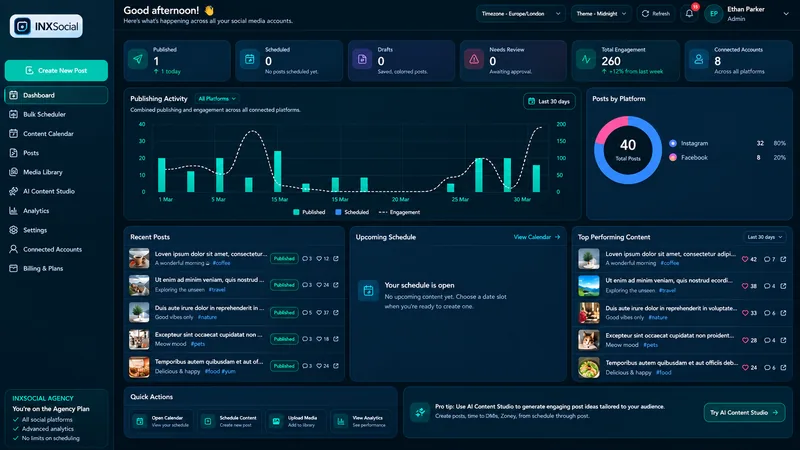
A campaign generator should do more than produce a pile of unrelated captions. INXSocial first builds campaign strategy, content pillars and a post map so the sequence has a deliberate role before individual posts are written.
When a website is supplied, the workflow can use verified website evidence and visual references to ground campaign messaging and generated imagery in the real brand instead of inventing a replacement identity.
Generate campaign direction, content pillars, hook rotation and a structured post map before the individual text and image posts are produced.
Use verified website logos, product visuals, screenshots and brand colours as authoritative inputs. When a verified full logo exists, INXSocial can preserve the exact logo instead of asking the image model to redraw it.
Save the campaign, review every post and generated image, then load the authoritative campaign directly into Bulk Scheduler for destination and timing decisions.
Choose the campaign goal, optional website, target platform context and a 10, 15, 20 or 30-post text, image or mixed campaign.
Inspect the strategy, content pillars, hooks, captions, hashtags and generated visuals. Individual posts and images remain reviewable and regenerable.
Open the saved campaign in Bulk Scheduler, choose compatible destinations and timing, and optionally use Smart Timing for bounded variation around the selected schedule.
Text-only, image-only and mixed campaigns remain saved in INXSocial so the campaign can be reopened, reviewed and handed to Bulk Scheduler again without rebuilding a temporary media bundle.
Website analysis can extract official visual references such as logos, hero images, product screenshots and relevant interface visuals through the existing safe public-asset retrieval path. Generated campaign images are instructed not to invent substitute logos or fictional product interfaces when verified references exist.
Image generation follows the shared AI credit system. Multi-image campaigns surface the required image-credit exposure before generation begins, and failed renders remain retryable.
Facebook, Instagram, LinkedIn, TikTok, YouTube, Pinterest, Threads, Bluesky and X are represented in the connected-account experience. Publishing and analytics capabilities vary by network permissions and account type.
The current AI Campaign workflow supports 10, 15, 20 or 30-post campaigns.
Yes. You can create text-only, image-only or mixed campaigns, and mixed campaigns preserve the original post order when they move into Bulk Scheduler.
Yes. When verified website references are available, INXSocial can use official logos, product visuals, screenshots and brand colours as grounded creative inputs rather than inventing replacements.
Start with the trial, connect the accounts you use and build your next publishing cycle in INXSocial.